



STB Mobile Banking
Discover without delay our STB Mobile Banking application
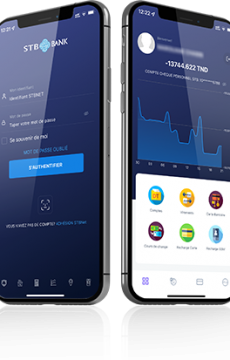
The activation process of your E-Banking account takes only a few moments, so enjoy !
Download
Download our Application on Apple Store, Google Play or AppGalleryy.



Activate
To subscribe to STB NET service, you just have to fill in the STB NET online subscription form
Exploiter
Once your application is validated, you will receive a login and a password for your E-Banking account, so you can take advantage of your spac
Discover the main and new features of your e-banking ! STBNet in brief
Master your cards quickly
Master your cards quickly
Request a checkbook or a card
You can apply for a card onlin and a checkbook
Manage your e-banking accounts at a glance
Control and follow the balance and the movements of your accounts, Carry out your current operations: edition of statements of account, of Bank Identify Statement (RIB), Credit Notice, Debit Notice, Scale of interests, Cheque Image etc.
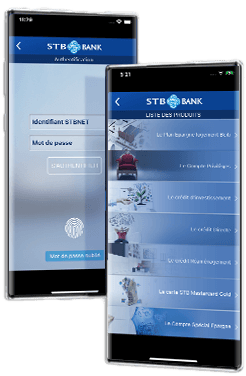
Make money transfers
Transfer money from one account to another
Make transfers with ease
Make express and simple transfers Plan and order single or batch transfer orders
View and track
Follow the currency rates and the history of TMM and consult: your credit portfolio, securities and mutual funds, your investments, your AVA, your outstanding payments, your electronic transactions
Frequently asked questions
STB provides you with its remote banking service STBNet. The subscription to the service is made at the level of the branch or remotely via this link https://stbnet.stb.com.tn/pre-adhesion
The service is available in two versions:
– Web version accessible via the following URL https://stbnet.stb.com.tn/
– Mobile version with an application that can be downloaded on the different stores (Play Store, Apple Store, AppGallery)
Your username and password are sent to you by SMS and by email as soon as your STBNet subscription is activated.
Yes indeed, in order to protect your access to STB NET, and to avoid easily “guessable” passwords, your password must meet the following requirements
– Contain at least eight (8) characters
– Be composed of a combination of numbers, upper and lower case letters and symbols such as ‘@’ , ‘/’ …
If you forget your password, you can request another one by clicking on the “Forgot your password?” link displayed on the STBNet application
Otherwise, if you are unable to recover your password. Please contact your branch.
Yes, your account balances are updated instantly via the STB applications.
STBNet offers you different types of online transfers depending on the nature of your subscription.
By subscribing to the “E-transfer” option, you can make remote transfers in dinars in complete security to STB accounts or other banks in Tunisia.
To ensure the update of your information (mobile phone number, address, job, etc..), you must contact your agency.
The certificates are available from ANCE (National Agency of Electronic Certification) or one of the official dealers.
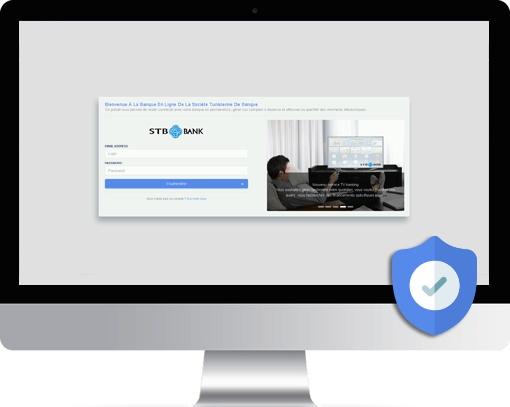
SECURITY
Our applications meet the most stringent security requirements for optimal protection of your bank accounts. We provide you with the latest technologies and strict security standards that allow you to carry out your operations in complete security.
- Fast and secure authentication
- Strong data encryption
- Additional personal security settings
- Security recommendations
 Onboarding
 Exchange rate
  Simulators
  Contact
  Security